
Ask Smara
Ask Smara
Live chat, this-meeting chat, and global Chat — rooms, citations, prompts, and dictation.
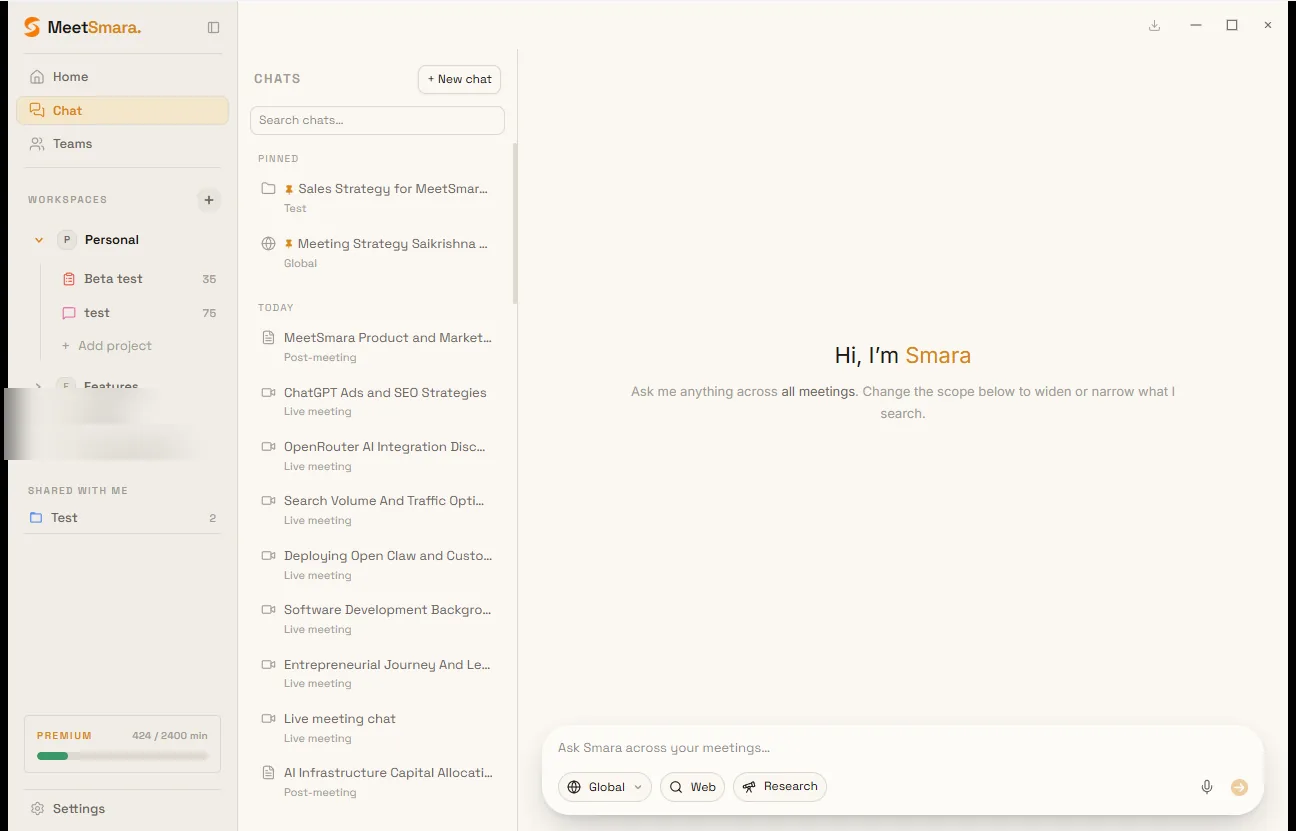
Ask Smara is the same assistant in three places. The difference is what it can read.
| Surface | Where | What it reads |
|---|---|---|
| Live | During a recording, above the bottom bar | Finalised lines so far. Cites those lines as [#n]. |
| This meeting | Bottom of the post-meeting view | This recording only: transcript, your notes, and captured screenshots |
| Global Chat | Sidebar → Chat | Meetings (and uploaded files) in the room you pick |
Ask Smara answers from your meeting material. It does not search Slack, Notion, task tools, CRM, or the public web. Connect those apps to share summaries and run automations — not to answer chat questions.
Rooms (global Chat)
Pick a room from the scope chip before you send:
- All meetings — everything you can read: your own meetings and meetings shared with you through workspaces or projects. This is not the same as Personal (Personal is one workspace in the list, like any other).
- A workspace — only meetings filed in that team space (yours and teammates').
- A project — only that project's meetings.
- Shared with me — a project someone shared with you, even if you are not in its parent workspace.
Answers name each meeting by title and date the first time they use it. If several meetings could match and you did not say which, Smara lists them and asks instead of guessing. A Shared tag on a source means the excerpt is from a teammate's meeting.
Live and post-meeting threads also appear in the Chat sidebar (tagged Live meeting / Post-meeting). They are read-only there — continue them on the meeting itself, or start a new chat in one of the rooms above.
This-meeting chat
The floating chat after a meeting stays inside this recording: transcript, notes ([notes-N.M]), and screenshots (img-N). It does not search other meetings, project files, Slack, or the web.
Use the title dropdown to switch threads or start New chat. If a question needs a broader room, Smara shows Ask in Chat under the answer — that opens global Chat with your question ready (in the meeting's project, or All meetings if it has none).
Notes you typed are treated as your interpretation. The transcript wins on what was said.
Citations
- Live: chips such as
[#17]jump to that finalised line in the dual pane. - Post-meeting and global Chat: chips such as
[3.2],[notes-N.M], or[file-N.M]. Click to open the meeting (or a note / file / screenshot).
If a claim has no chip, treat it as unverified.
Smara answers in the language of your latest message, not the meeting's source or translation language.
Prompts and dictation
- Type / for starter prompts (live, post, or cross-meeting — filtered to where you are).
- Manage prompts in Settings → Prompts.
- The mic button dictates a short question (not a full meeting transcript).
You can pin, rename, or delete threads from the Chat sidebar.