
Organize
Home, workspaces, and projects
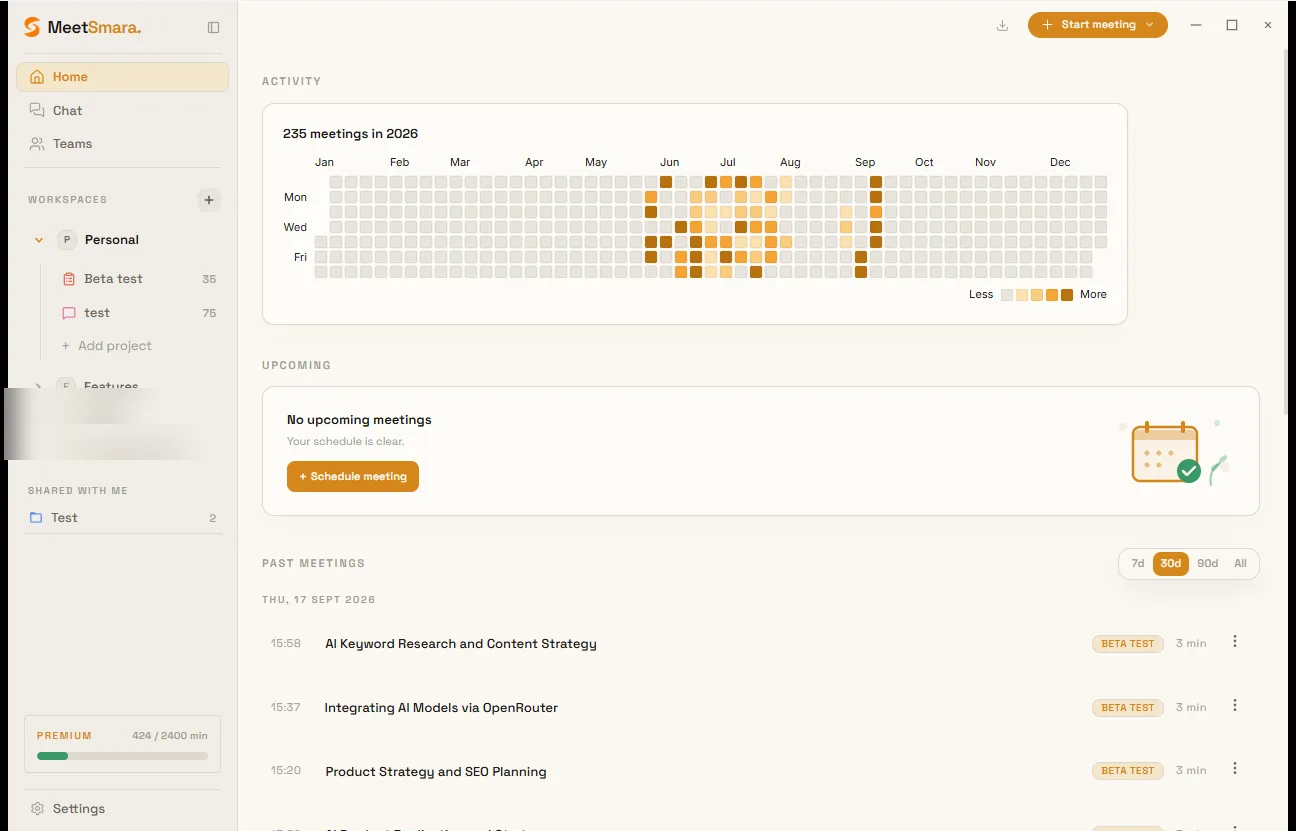
Activity heatmap, past meetings, Personal vs team workspaces, projects, and Shared with me.
Home is your meeting history: an activity heatmap, upcoming calendar events (if connected), and a paginated list of past meetings (7 / 30 / 90 days or all).
Click a row to open the post-meeting view. Use ⋮ to add a meeting to a project or move it to trash.
Workspaces
Workspaces are top-level folders (a client, a team, an area of work). Personal is created at signup. It is private and cannot be shared.
Create more workspaces with + in the sidebar. Team workspaces can have members — see Team.
Projects
Projects live under a workspace. They group meetings, files, actions, and roll-up stats. Custom icon and colour are optional.
Click a project (or a workspace with no project selected) to open Overview, Meetings, Actions, Timeline, Images, and Files.
Shared with me
Projects someone shared with you appear here. Those meetings are read-only.