
Getting started
Your first meeting
Start a recording, watch the live dual-pane transcript, end the call, and open the AI summary.
This page is the shortest path from an empty Home screen to a finished summary. Detail on audio, translation, and notes lives in the pages that follow.
Start
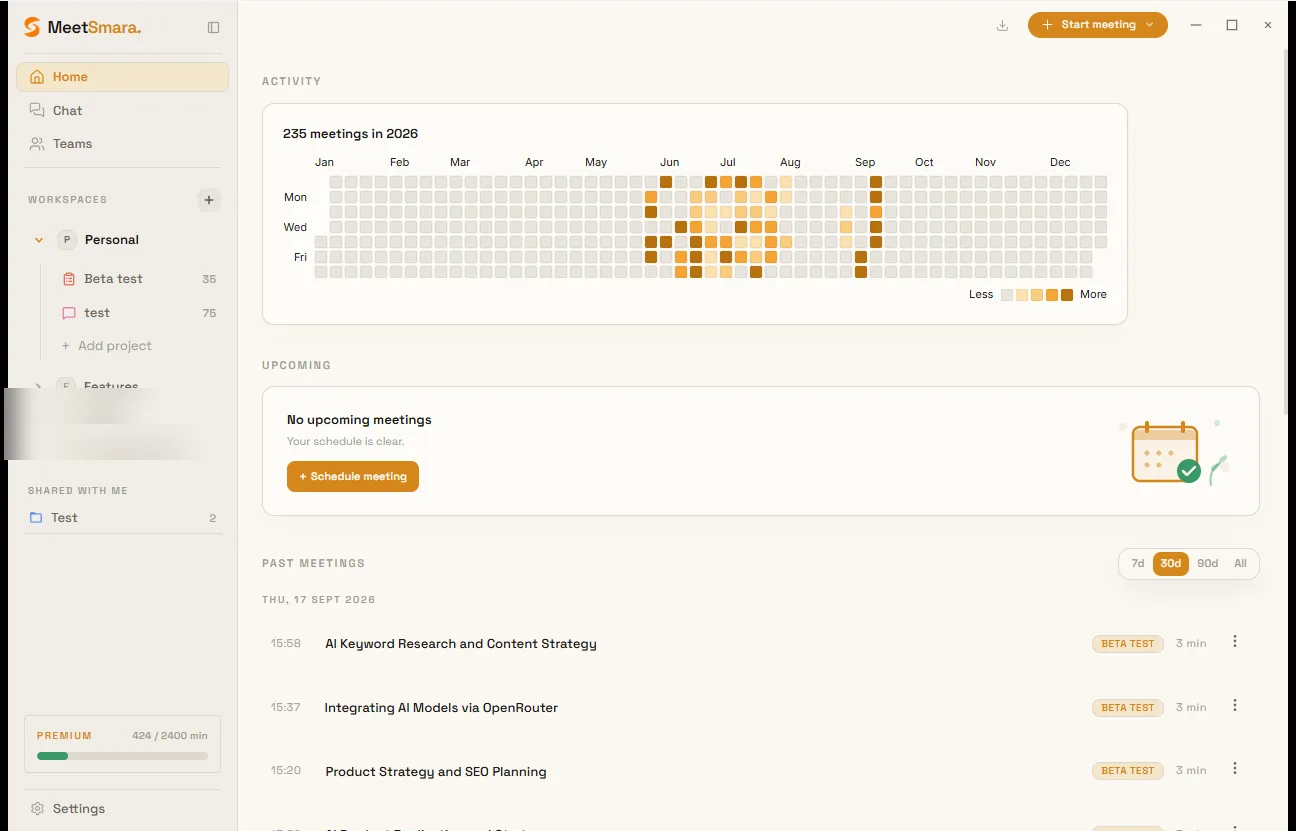
- Sit on Home. Put on headphones.
- Join your Zoom, Teams, or Meet call as you normally would — MeetSmara does not join it.
- Click Start meeting in the top-right (or Live Meeting in the sidebar).
- Optionally pick a project so the meeting is filed from the start. You can assign it later.
During the call
The centre of the window is a dual pane: original speech on the left, translation on the right (when translation is on).
- Grey text is a preview. It becomes solid when the line is final.
- Hover a speaker name and click the pencil to rename them (Speaker 1 → “Alex”).
- Space mutes your microphone into the transcript (not your call app).
- Ctrl+T (Cmd+T on Mac) toggles the translation column.
End
Click End Meeting in the bottom bar, or press Ctrl+W (Cmd+W on Mac). There is no pause — stopping ends the recording session.
MeetSmara then runs MeetSmara Intelligence in the background: summary, mind map, and action items. Open the meeting from Home to read them.
Next
Set up audio capture properly so remote voices are not missing.