
Connect your tools
Integrations and automations
Connect Slack, docs, tasks, and CRM; then optionally auto-run when a summary is ready.
Settings → Integrations lists every connector. Connect with OAuth, pick a default destination, and send a test.
What connectors are for
Connectors send meeting output after a call — from the post-meeting Share / Create tasks menus, or from an automation. They are not a source for Ask Smara. Chat does not search Slack, docs, or task tools, and it does not post there from an answer.
| Kind | Examples | Typical use |
|---|---|---|
| Chat apps | Slack, Teams | Post the summary |
| Docs | Notion, Confluence, OneNote, Google Docs | Save the write-up |
| Tasks | Linear, Asana, ClickUp, Jira | Create action items |
| CRM | HubSpot, Pipedrive, Salesforce | Log the meeting |
| Automation platforms | Zapier, Make | Downstream workflows |
Availability depends on plan. The current beta includes the full connector set.
Automations
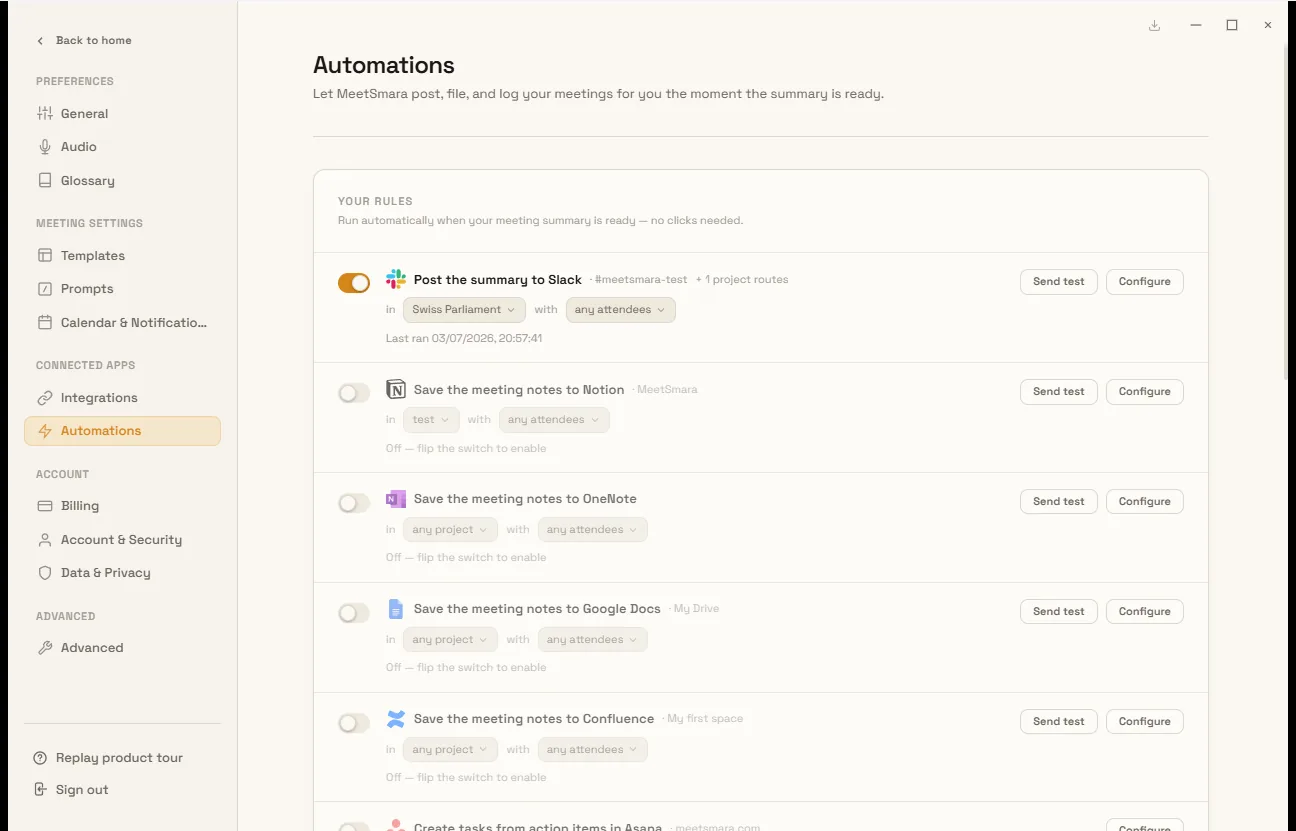
Settings → Automations are rules on your recordings, on this machine, when a summary is ready. Examples:
- Auto-post to Slack
- Save to Notion
- Create tasks
- Weekly digest
- Prep brief before an external meeting
They do not run on meetings other people record.